
GPS tracking has become an invaluable tool for dinghy sailors, offering clear, data driven insights that were once impossible to capture on the water. With accurate speed, heading, and position information, Sailchart helps sailors analyse their performance in detail - improving course strategies and refining key skills like tacks and speed made good.
Available for club and personal races. Training mode supported.
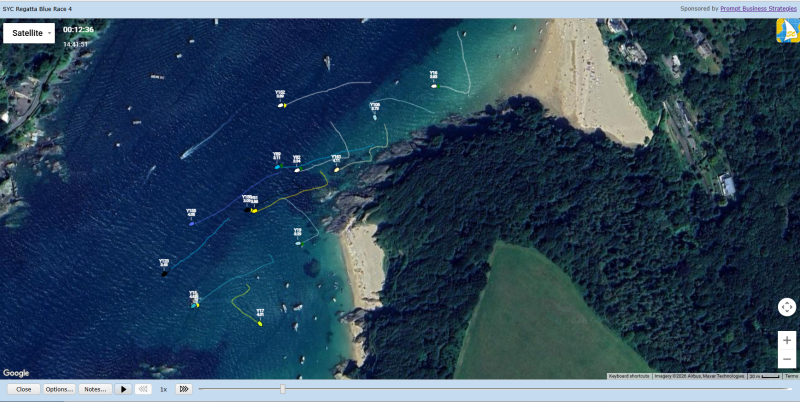
Use Sailchart to record GPS position, speed and heading using your smartphone or a dedicated tracker.
Your race is synced with your Sailchart account for later analysis using the Dashboard website.
Replay legs, review speed made good, tacking angles, course efficiency and performance trends.
Track races using only your smartphone—no additional GPS hardware needed.
Don't want to sail with a smartphone on board? Sailchart also supports dedicated GPS trackers.
Replay the full race or individual legs with multiple boats overlayed for strategy analysis.
Analyse speed, distance sailed, tack angles and more with precision tools.
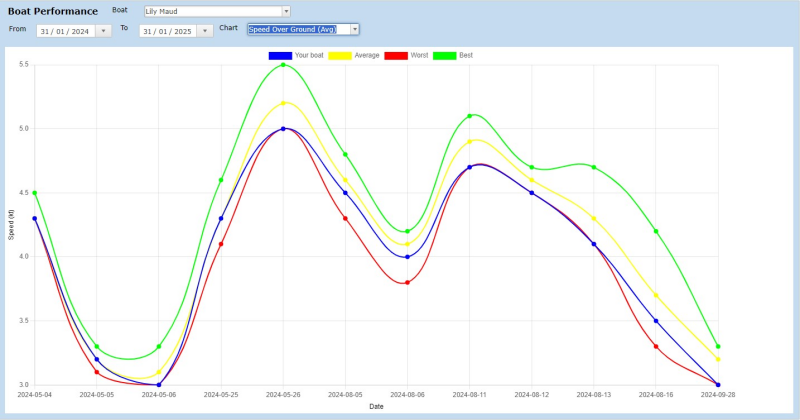
Track performance trends over time and compare against other boats in your fleet.
View live metrics such as speed over ground, VMG, heel angle and tack performance while training.
Install Sailchart from the App Store / Google Play or purchase a GPS tracker.
Register a Sailchart account in the app or Dashboard. Your club will provide an access code.
Start sailing in club events or personal races. No club? You can still track personal training sessions in the app.
Use the Sailchart Dashboard to replay and analyse your race.
The Sailchart Dashboard is a website that allows you to review the races you have sailed in.
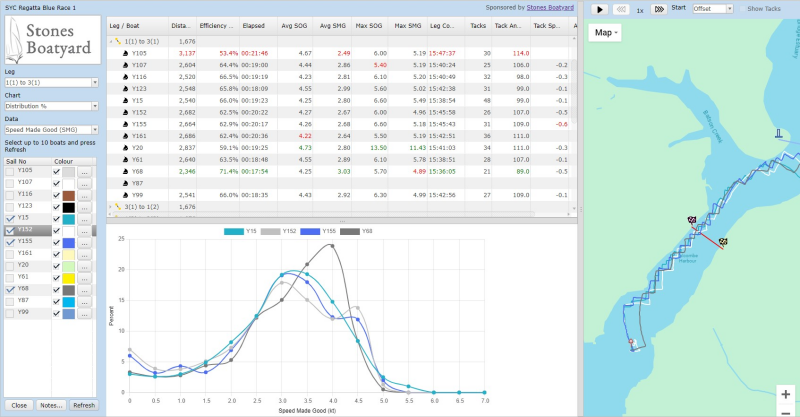
Your can play back the entire race or specific legs to compare race course strategies and your performance relative to other boats. Race Analysis tools allow you to view key metrics like distance sailed, average speed, speed made good, leg efficiency, tacking angles and average heel angle. Data is available for the overall race and specific legs, allowing you to compare your performance on specific legs, for example upwind vs. downwind.
The Boat Performance charts allows you to track your boat’s performance over time comparing key metrics against other boats that sailed in the same race.
Increase the enjoyment of watching your club races for spectators, family and friends. Sailchart allows spectators to view live race tracking from a browser on their phone, tablet or computer.
You can publish the dedicated club live race viewing link or QR code.

Clubs and individual races can be sponsored, helping raise funds for your club, for example to support youth sailing.

Click on the image or search for Sailchart in the Apple App Store.

Click on the image or search for Sailchart in the Google Play store.
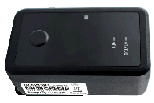
Dedicated waterproof trackers can be purchased from Sailchart as an alternative to using a smartphone.
Contact us via email to
admin @ sailchart.org
Sailchart is free.
View the club enrollment page for details and answers to frequently asked questions.
Trusted by Sailing Fleets
— Salcombe Yawl Owners’ Association